Writing Your First Script
Writing your first script is where most beginners either build real confidence or get stuck for good. Most people can copy a bash command from a tutorial, but very few can sit down and write a working script from a blank file, and interviewers know this gap exists. This part covers exactly what happens the moment you go from typing commands one at a time to putting them in a file and running that file as a program.
We are talking shebang lines, file permissions, execution methods, comments, basic variables, and the small mistakes that trip up almost every new scripter. If you already went through what bash scripting actually is and did the hello world script from the last part, this is where it gets real.
Below are the questions hiring managers actually ask when they want to know if you can write a script from scratch, not just recite definitions. Read through them slowly. Try to answer before you look, then check yourself against the answer box.
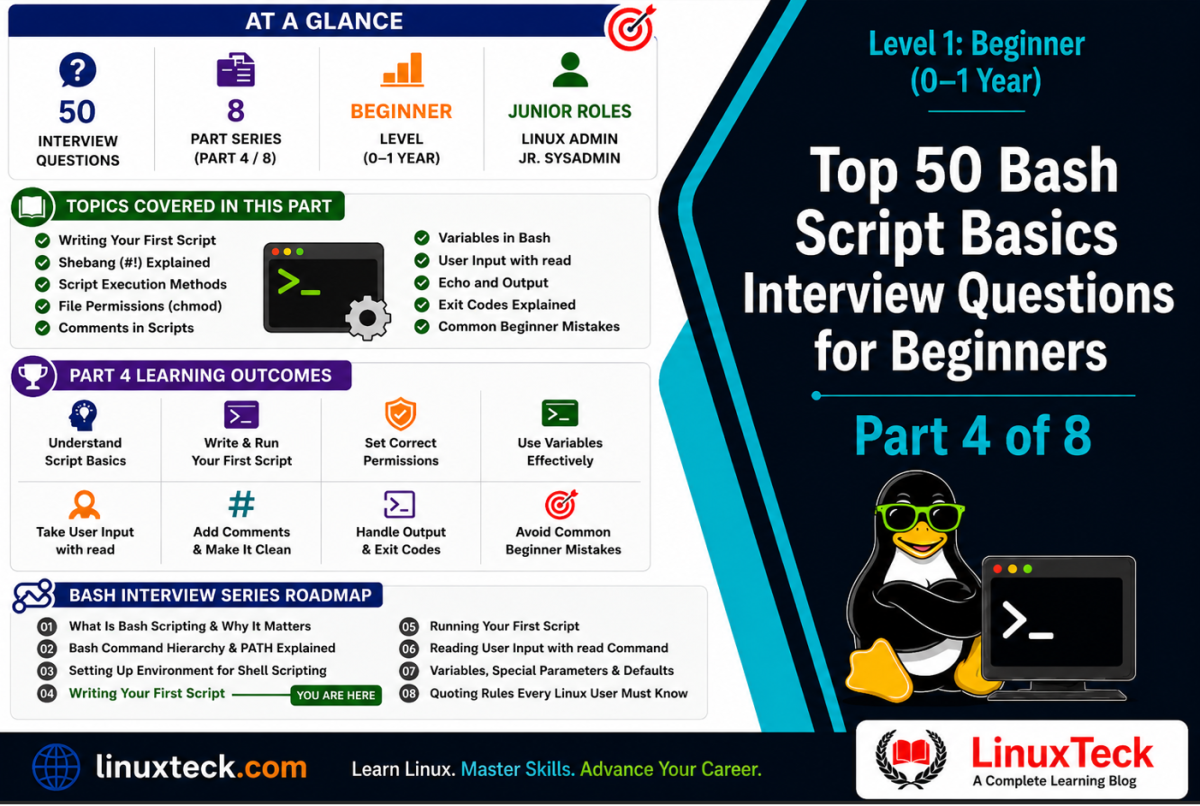
Level 1 - Beginner (0-1 Year):
These questions target candidates with under one year of Linux experience. They appear in junior sysadmin screens, helpdesk-to-Linux-admin transitions, and entry-level DevOps hiring pipelines.
What This Article Covers:
Most beginners can type commands and follow tutorials, but freeze the moment they have to write and run an actual script file from scratch. That gap shows up immediately in interviews.
- Shebang lines, interpreter paths, and why the first line of a script matters so much
- File permissions and the correct way to make a script executable
- Script structure, comments, and how bash variables actually work
- Output, user input, and exit codes for real script communication
- Code reading and write it practice questions pulled straight from interview rounds
If you cannot write and run a working bash script from a blank file, this article fixes that immediately.
Before diving in, it helps to know this topic connects directly to how PATH resolution works under the hood, so keep that reference open if you want the deeper technical breakdown after this section.
Writing Your First Script: Shebang and Basics
Before a script can run, the shell needs to know what should interpret it. That is the whole job of the shebang line, and it trips up more beginners than you would think.
Q01. What is the shebang line in a bash script?
The shebang is the first line of a script, written as #!/bin/bash. It tells the operating system which interpreter should run the rest of the file. Without it, the system falls back to your current shell, which may not behave the way your script expects.
Interview Signal:
Interviewers want to hear that you know this line must sit on line one with no blank space before it.
Q02. Why do we use #!/bin/bash instead of just #!/bin/sh?
#!/bin/bash points directly at the bash interpreter and gives you access to bash-only features like arrays and certain string operations. #!/bin/sh often points to a lighter shell such as dash on many distros, which does not support all bash syntax.
Q03. What happens if you forget to add a shebang line at all?
The script will still run in most cases if you call it with bash script.sh, since you are explicitly telling the shell which interpreter to use. But if you try to run it directly as ./script.sh, it uses your default shell to guess, which can lead to unexpected errors on systems where that default is not bash.
Common Mistake:
Candidates say a missing shebang always breaks the script. It does not always break it, it just makes behavior unpredictable across systems.
Q04. Can the shebang path be different on different systems?
Yes. Bash is usually at /bin/bash, but on some systems, especially certain BSD or minimal container images, it might live somewhere else like /usr/local/bin/bash. This is why some scripts use #!/usr/bin/env bash instead, which searches the PATH for bash rather than hardcoding a location.
Q05. What is the benefit of using #!/usr/bin/env bash over a hardcoded path?
It makes the script more portable. Instead of assuming bash is at one fixed path, env looks through the PATH variable and finds whichever bash is available first. This matters a lot in environments where bash is installed in a non-standard location, like some macOS setups or virtual environments.
Interview Signal:
This question checks if you understand portability, not just syntax memorization.
Q06. Does a comment line placed above the shebang still work?
No. The shebang must be the very first line of the file, with nothing above it, not even a blank line or comment. If anything comes before it, the kernel treats the file as plain text and the special shebang parsing is skipped entirely.
Common Mistake:
Adding a header comment above the shebang, which quietly breaks direct execution.
Q07. What file extension should a bash script use?
Technically none is required. Linux does not care about file extensions the way Windows does, it reads the shebang line to decide how to run the file. Using .sh is just a convention that helps humans and editors recognize the file type.
Q08. How do you create a new empty script file from the terminal?
You can use touch to create an empty file, like touch myscript.sh, then open it in an editor to add content. You can also just open a new file directly in an editor like nano or vim and save it with your chosen name.
Q09. What is the standard structure most beginner scripts follow?
Shebang line first, then a short comment block describing what the script does, then variable declarations, then the actual logic. Following this order every time makes scripts easier to read for anyone who opens them after you.
Q10. Why do experienced sysadmins insist on a consistent script structure?
Production scripts get read and edited by other people, sometimes years later. A predictable layout means whoever touches it next does not have to reverse engineer your logic from scratch, which saves real time during incidents.
Interview Signal:
This is where interviewers judge whether you think about maintainability, not just getting output on screen.
File Permissions and Running Your Script
Writing the script is only half the work. Getting Linux to actually treat it as an executable program is where most beginners hit their first real wall.
Q11. Why does ./myscript.sh sometimes return "permission denied"?
Linux blocks execution of a file unless the execute bit is set for the user trying to run it. Creating a file gives it read and write permission by default, but not execute permission, so you have to add it manually.
Q12. How do you make a script executable?
Run chmod +x myscript.sh. This adds the execute bit for the owner, group, and others depending on how you write the command. You can check it worked with ls -l, which shows an x in the permission string.
Interview Signal:
Mentioning that you would verify with ls -l shows you actually check your work, not just assume it worked.
Q13. What is the difference between chmod +x and chmod 755?
chmod +x adds execute permission relative to the file's current state. chmod 755 sets an absolute permission state, meaning read, write, and execute for the owner, and read and execute for the group and others, completely overwriting whatever permissions existed before.
Q14. What are the two common ways to run a bash script?
You can run it with ./myscript.sh if it has execute permission and you know the path, or you can run it with bash myscript.sh without needing execute permission at all, since you are explicitly launching a new bash process to read the file.
Q15. Why does bash myscript.sh work even without execute permission?
Because you are not asking the system to execute the file directly, you are asking the bash program to read the file as input, similar to how a text editor only needs read permission to open a document. Execute permission is only enforced when the kernel is asked to run the file itself.
Common Mistake:
Assuming a script always needs execute permission to run in any form.
Q16. Why does running myscript.sh without ./ often fail?
Bash searches the PATH variable to find commands, and your current directory is usually not part of PATH for security reasons. The ./ tells bash explicitly to look in the current directory instead of searching PATH.
Q17. What does source or the dot operator do differently from ./ execution?
Running a script with source myscript.sh or . myscript.sh runs it inside your current shell session rather than spawning a new subshell. Any variables it sets stay available in your terminal afterward, which is not the case with normal execution.
Q18. When would you actually want to use source instead of normal execution?
When you want a script's exported variables, functions, or aliases to persist in your current terminal session. A common real example is sourcing a configuration file like .bashrc after editing it, so changes apply immediately without opening a new terminal.
Interview Signal:
Bringing up .bashrc as a real world example shows practical experience beyond textbook definitions.
Q19. What permission does a script owner need at minimum to run their own script directly?
They need execute permission for the owner, which is the first x in a permission string like -rwxr--r--. Read permission alone is not enough for direct execution using ./.
Q20. Is it good practice to give scripts world-writable permissions?
No, this is a security risk on any real system. If a script is writable by everyone, any local user or compromised process could alter its logic before it runs, especially dangerous for scripts run by cron or root.
Common Mistake:
Using chmod 777 out of laziness during testing and forgetting to lock it down afterward.
Script Structure, Comments and Variables
Once your script runs, the next skill is writing something readable and correct inside it. Comments and variables are the two building blocks that show up in almost every follow up question.
Q21. How do you write a comment in a bash script?
Anything after a # symbol on a line is treated as a comment and ignored by bash, except when it is part of the shebang. Comments can sit on their own line or trail after a command on the same line.
Q22. Does bash support multi-line comments?
Not natively with dedicated syntax like some languages. A common workaround is a here-document assigned to nothing, or simply prefixing each line with #. Most sysadmins just stick to single-line comments for clarity anyway.
Q23. How do you declare a variable in bash?
Just write name=value with no spaces around the equals sign. Bash is strict about this, spaces will make it interpret the line as a command instead of an assignment.
Common Mistake:
Writing name = value with spaces, which throws a "command not found" error.
Q24. How do you access the value of a variable once it is set?
Prefix the variable name with a dollar sign, like $name or the safer ${name}. The curly brace form is useful when the variable name could get confused with surrounding text.
Q25. What is the difference between $name and ${name}?
They usually produce the same output, but ${name} clearly separates the variable name from anything written right after it. For example ${name}_backup is unambiguous, while $name_backup would try to look for a variable literally called name_backup.
Interview Signal:
This small detail separates people who copy-paste bash from people who actually understand parsing.
Q26. Are bash variables case sensitive?
Yes. Name and name are treated as two completely different variables in bash. This is a common source of quiet bugs for people coming from languages that are more forgiving about casing.
Q27. What naming convention is typically used for user defined variables versus environment variables?
Lowercase names are conventionally used for local or script-specific variables, while uppercase names like PATH or HOME are reserved for environment variables. Following this convention avoids accidentally overwriting an important system variable.
Q28. What happens if you use a variable that was never assigned?
By default bash treats it as an empty string rather than throwing an error, which can silently break logic further down the script. This is exactly why many production scripts start with set -u, which forces bash to error out on unset variables.
Q29. Why should you quote variables like "$name" instead of using them unquoted?
Without quotes, bash performs word splitting and globbing on the value, which can break things badly if the variable contains spaces or special characters. Quoting keeps the value intact as a single string exactly as it was set.
Interview Signal:
This is one of the most commonly asked practical questions across every level, not just beginner.
Q30. Can you make a variable read-only after setting it?
Yes, using readonly name after it has a value. Any attempt to change it after that point produces an error, which is a small but useful safeguard for constants inside longer scripts.
Output, User Input and Exit Codes
A script that cannot talk to the user or report success and failure is not much use in production. This section covers how scripts communicate both ways.
Q31. What is the most basic way to print output from a script?
The echo command is the simplest way, for example echo "Backup complete". It writes text to standard output, which by default shows up right in the terminal.
Q32. How do you print a variable's value along with regular text?
Put the variable inside the same echo string, like echo "Hello, $username". Double quotes allow variable expansion, so the actual value replaces the variable name in the output.
Q33. Why would you use printf instead of echo?
printf gives you formatting control that echo does not, like fixed decimal places or column alignment, and it behaves more consistently across different shells. It is closer to what you would expect from printf in C, which some engineers find more predictable.
Q34. How do you read input from the user inside a script?
Use the read command, for example read name pauses the script and stores whatever the user types into the variable name. You can pair it with a prompt using read -p "Enter name: " name.
Q35. What is an exit code and why does it matter?
An exit code is a number a script returns when it finishes, where 0 means success and any nonzero number means some kind of failure. Other scripts, cron jobs, and monitoring tools rely on this number to decide what to do next.
Interview Signal:
Interviewers love this question because it separates beginners who only think about output from people who think about automation chains.
Q36. How do you set a specific exit code in your script?
Use exit followed by a number, like exit 1 for a general error. If you never call exit explicitly, the script returns the exit status of the last command it ran.
Q37. How do you check the exit code of the last command run?
The special variable $? holds it, and you have to check it right after the command since it gets overwritten by the next command you run. This is a common thing to forget when debugging.
Common Mistake:
Running a few extra commands before checking $?, which reads the wrong exit code entirely.
Q38. What does it mean if a script exits with code 127?
Exit code 127 usually means "command not found." It is a strong hint that a typo exists somewhere, or a required program is not installed or not in the PATH.
Q39. Is there a difference between echo and using exit for reporting status?
Yes, echo just prints text a human can read, while exit sets a numeric code that other programs and scripts can check automatically. A script can echo a friendly error message and still exit with a proper failure code for automation to catch.
Q40. Why should you avoid mixing echo debug statements into a script meant for production?
Leftover debug echo statements clutter real output and can confuse anyone reading logs later. It is better to remove them or wrap them behind a debug flag before the script goes anywhere near a production server.
Code Reading and Write It Practice
This part shifts from talking about scripts to actually reading and writing them, which is where interviews often move once the basic questions are out of the way.
Q41. Code Reading: What does this script print when run?
#!/bin/bash
name=Linux
echo "Hello, ${name} Teck"
Show Answer
It prints Hello, Linux Teck. The variable assignment has no spaces around the equals sign so it works correctly, and the double quotes let bash expand ${name} inside the echo string.
Q42. Code Reading: Why does this script fail?
#!/bin/bash
name = Linux
echo "Hello, $name"
Show Answer
The spaces around the equals sign break the assignment. Bash reads name as a command it tries to run with arguments = and Linux, which results in a "command not found" error.
Common Mistake:
This exact spacing error shows up constantly with beginners moving from other programming languages.
Q43. Code Reading: What is wrong with the permission setup here?
$ ls -l script.sh
-rw-r--r-- 1 user user 45 Jul 6 10:00 script.sh
$ ./script.sh
Show Answer
The permission string shows no x anywhere, meaning execute permission is missing for everyone including the owner. Running ./script.sh will fail with permission denied until chmod +x script.sh is run.
Q44. Code Reading: What value does $? hold after this runs?
#!/bin/bash
mkdir /root/testfolder
echo $?
Show Answer
If run as a regular user without permission to write into /root, mkdir fails and echo $? prints a nonzero number, commonly 1. If run as root or a user with proper access, it would print 0 since the folder creation succeeded.
Interview Signal:
This tests whether you understand that exit codes depend on actual execution context, not just the code itself.
Q45. Write It: Write a script that asks for the user's name and greets them.
Use read to capture input into a variable, then echo it back inside a greeting string using double quotes so the variable expands correctly.
#!/bin/bash
read -p "Enter your name: " name
echo "Hello, ${name}! Welcome."
Q46. Write It: Write a script that creates a file and exits with code 0 only if it succeeds.
Run the file creation command directly inside an if condition, so success or failure is checked immediately rather than relying on a separate $? lookup that could be overwritten later.
#!/bin/bash
if touch report.log; then
    echo "File created successfully"
    exit 0
else
    echo "File creation failed"
    exit 1
fi
Q47. Write It: Write a script header block that documents purpose, author, and date.
A clean header uses comment lines right after the shebang, listing the essentials any future reader needs before touching the logic below it.
#!/bin/bash
#
# Script: backup_check.sh
# Purpose: Verify daily backup completed
# Author: Ops Team
# Date: 2026-07-06
#
Q48. Write It: Make an existing file executable and run it in the same line.
Chain the chmod and execution with a double ampersand so the second command only runs if the first one succeeds.
chmod +x deploy.sh && ./deploy.sh
Q49. Write It: Write a readonly variable declaration for a fixed backup path.
Assign the value first, then mark it readonly so nothing later in the script can accidentally overwrite it.
backup_path="/var/backups"
readonly backup_path
Q50. Code Reading: Will this script run using ./ if saved with these exact contents?
#!/bin/bash
echo "Starting"
Show Answer
No, at least not the way it is intended to. There is a blank line before the shebang, which means the shebang is no longer the first line of the file, so the kernel will not treat it as a special interpreter directive.
Common Mistake:
Leaving an accidental blank line at the top of a file, often introduced by copy-pasting from a browser or chat window.
How Interviewers Actually Score These Answers
Most interviewers are not grading you on whether you memorized a definition word for word. They are listening for whether you understand why something works, not just that it works. A candidate who says "chmod +x makes it executable" gets a passing nod. A candidate who adds "because Linux checks the execute bit before letting the kernel run the file directly" gets remembered.
The second thing they score is whether you mention real consequences. Anyone can say quoting variables is good practice. Fewer people can explain that unquoted variables cause word splitting that breaks file paths with spaces in them, which is a bug that has taken down actual automation pipelines. Bringing up a real failure mode, even briefly, signals you have actually broken something and fixed it before.
Finally, interviewers pay attention to how you handle the trap questions, the ones with a small bug hidden in otherwise normal looking code. Rushing to an answer is a red flag. Reading the code slowly, out loud if needed, and checking spacing, quoting, and permissions in that order shows a debugging habit rather than a guess.
Questions I Get Asked About Bash Interviews All the Time
If I get asked to write a script live on a whiteboard or shared screen, what should I do first?
Write the shebang line first even before thinking about logic, since forgetting it is one of the easiest things to overlook under pressure. Then talk through your plan out loud before typing, it buys you thinking time and shows structured thinking.
What if the interviewer asks why my script works but a colleague's identical looking one does not?
Immediately check for invisible differences, spacing around equals signs, execute permissions, or a stray blank line before the shebang. Saying you would compare with cat -A to reveal hidden characters is a strong practical answer.
Should I mention set -e or set -u even at a beginner level interview?
Briefly mentioning them shows you are already thinking ahead of your current level, which interviewers generally like. Just be ready to explain what they do in simple terms if asked, do not drop the term and move on without substance. Note: be sure to point out that using set -e can sometimes bypass your own custom error checking blocks, like an if block testing a command's result, because it terminates the script the instant a command fails, before your script even reaches that next line.
How do I answer if I genuinely do not know something during the interview?
Say so plainly and explain how you would find out, like checking the man page or testing it in a sandbox terminal. Interviewers trust people who admit gaps honestly far more than people who guess confidently and get it wrong.
Do beginner interviews really dig into exit codes this much?
Yes, more than people expect, because exit codes are the foundation of how scripts get chained together in real automation. Even a junior role expects you to know what $? means and why 0 matters.
Is it bad if my script works but I cannot explain why a specific line is needed?
It is a warning sign to interviewers, since it suggests the script was copied rather than understood. Always be ready to explain every single line you write, even the ones that feel routine like the shebang or a quoting choice.
You Are Ready - Here Is What Comes Next
You now know how to structure, permission, and run a real bash script from scratch, not just recite what one looks like. Next up is conditionals and loops, where these same fundamentals start doing actual decision making. For deeper syntax reference while you practice, the official GNU Bash manual is worth bookmarking.
Related Articles
- Top 55 Bash Scripting Interview Questions (Part 1 of 8)
- Top 53 Bash Command Hierarchy Interview Questions(Part 2 of 8)
- Top 70 Shell Scripting Environment Setup Interview Questions(Part 3 of 8)
- Shell Scripting Series: What Is Bash Scripting? (Part 1 of 34)
- Linux Shell Scripting Interview Questions & Answers 2026
Real interview questions for every experience level - from Beginner to Advanced Linux Engineer.