Skip to the content
Skip to content
Top Menu
Nov 21, 2026
  • About Us
  • FAQ
  • Write For Us
  • Tech News
  • Facebook
  • Twitter
  • LinkedIn
  • Twitter
  • fa-youtube
Join to our facebook group
logo
  • Home
  • Linux
    • Distributions
      • RHEL-Centos
      • Rocky Linux
      • Ubuntu
    • LINUX COMMANDS
    • Shell Scripting
    • Cheat Sheets
      • Linux
      • Docker
    • Linux General
    • Linux Opinion
    • Troubleshooting
  • Enterprise Linux
  • Linux Interview Q & A
    • Linux Basics Q&A
    • Shell Scripting Q&A
      • Level 1: Beginner (0–1 Year)
    • Networking Q&A
  • Guides
    • Hosting
  • Linux Tips
Main Menu

Linux Tips

Linux ulimit memory limit
QUICK LINUX TIPS : 115

Linux ulimit Memory Limit: 3 Commands to Control RAM Usage

Nov 03, 2026 - by john

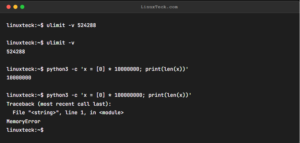
A buggy script is eating all my RAM. How do I cap its memory usage? Try: ulimit -v 524288 Info: Restricts virtual memory for the current shell session and its child processes. Examples: $ ulimit -a  # Display all current resource limits for the session $ ulimit -t 60  # […]

Read More
SSL certificate expiry
QUICK LINUX TIPS : 114

SSL Certificate Expiry: 3 Linux Commands to Check Dates

Nov 02, 2026 - by john

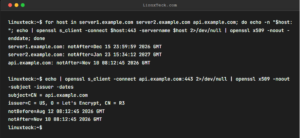
How do I check SSL certificate expiry dates on all my servers in bulk? Try: for host in server1.example.com server2.example.com api.example.com; do echo -n "$host: "; echo | openssl s_client -connect $host:443 -servername $host 2>/dev/null | openssl x509 -noout -enddate; done Info: echo | openssl s_client makes a quick TLS […]

Read More
time -v in Linux
QUICK LINUX TIPS : 113

Time -v in Linux: 5 Metrics to Diagnose Slow Scripts

Nov 01, 2026 - by john

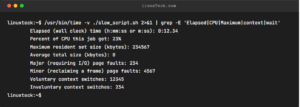
My script is slow but I don't know if it's CPU, I/O, or waiting. How do I find out? Try: /usr/bin/time -v ./slow_script.sh 2>&1 | grep -E 'Elapsed|CPU|Maximum|context|wait' Info: Profiles resource bottlenecks by outputting detailed timing, CPU utilization, page faults, and context switches. Examples: $ /usr/bin/time -v command 2>&1 | […]

Read More
chroot
QUICK LINUX TIPS : 112

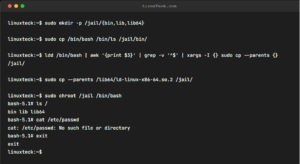
Chroot in Linux: 3 Powerful Ways to Isolate Processes

Oct 31, 2026 - by john

I need to run an untrusted binary without exposing my whole system. How? Try: sudo mkdir -p /jail/{bin,lib,lib64} Info: chroot restricts a process to a specified root directory, preventing it from accessing the rest of the filesystem. Examples: $ ldd /bin/bash  # List all required shared libraries for a binary […]

Read More
hardlinks
QUICK LINUX TIPS : 111

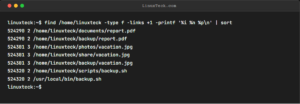
Hardlinks in Linux: 3 Commands to Find Duplicate Files

Oct 30, 2026 - by john

I have duplicate-looking files. Are they hardlinks or real copies? Try: find /home/linuxteck -type f -links +1 -printf '%i %n %p\n' | sort Info: Finds files sharing inodes and link counts to identify hardlinks. Examples: $ find /path -samefile /path/to/original  # Locate all hardlinks referencing a specific file $ ls […]

Read More
Linux LUKS keyfile
QUICK LINUX TIPS : 110

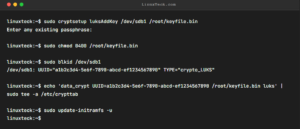
Linux LUKS Keyfile: 4 Steps to Automate Disk Unlocking

Oct 29, 2026 - by john

My encrypted data disk needs password every boot. How do I automate it safely? Try: sudo cryptsetup luksAddKey /dev/sdb1 /root/keyfile.bin Info: Adds a keyfile slot to LUKS for automated boot decryption. Examples: $ sudo cryptsetup luksDump /dev/sdb1  # Inspect active LUKS key slots $ sudo cryptsetup luksRemoveKey /dev/sdb1  # Revoke […]

Read More
Linux terminal session recording
QUICK LINUX TIPS : 109

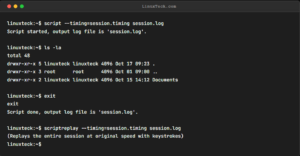
Linux Terminal Session Recording: 3 Easy Methods

Oct 28, 2026 - by john

How do I record my terminal session and replay it like a video? Try: script --timing=session.timing session.log Info: Records terminal input/output alongside precise timing data for real-time playback. Examples: $ script -t 2>session.timing session.log  # Legacy syntax for timing file capture $ scriptreplay --timing=session.timing session.log -d 2  # Replay session […]

Read More
Linux log compression
QUICK LINUX TIPS : 108

Linux Log Compression: 4 Steps to Save Disk Space

Oct 27, 2026 - by john

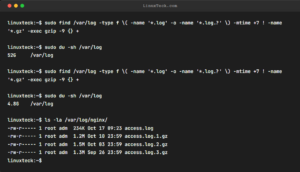
My logs are eating 50GB. How do I compress all old ones in one pass? Try: sudo find /var/log -type f \( -name '*.log' -o -name '*.log.?' \) -mtime +7 ! -name '*.gz' -exec gzip -9 {} + Info: Recursively finds and compresses log files older than 7 days using […]

Read More
Linux secure password generation
QUICK LINUX TIPS : 107

Linux Secure Password Generation: 4 Easy Methods

Oct 26, 2026 - by john

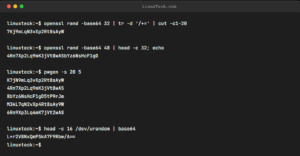
I need to generate secure passwords without using a website. Try: openssl rand -base64 32 | tr -d '/+=' | cut -c1-20 Info: Generates cryptographically secure random bytes from OpenSSL. Examples: $ pwgen -s 20  # Generate fully random 20-character passwords $ head /dev/urandom | tr -dc A-Za-z0-9 | head […]

Read More
Linux RAM filesystem
QUICK LINUX TIPS : 106

Linux RAM Filesystem: 4 Steps to Speed Up Builds

Oct 25, 2026 - by john

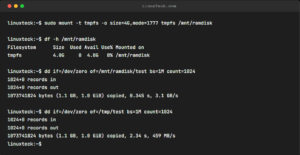
My build is slow because of disk I/O. How do I use RAM as a filesystem? Try: sudo mount -t tmpfs -o size=4G,mode=1777 tmpfs /mnt/ramdisk Info: tmpfs creates an ultra-fast temporary RAM filesystem (~7x faster than SSD), ideal for build caches, temp files, and test databases. Data vanishes on reboot. […]

Read More
Bash history monitoring
QUICK LINUX TIPS : 105

Bash History Monitoring: 5 Ways to Audit Linux Commands

Oct 22, 2026 - by john

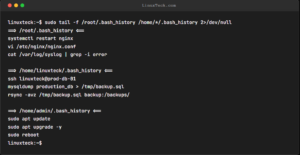
I need to audit what root users typed in their sessions. Try: sudo tail -f /root/.bash_history /home/*/.bash_history 2>/dev/null Info: Streams multiple history files concurrently with header markers for simple multi-user monitoring. Examples: $ echo 'export HISTTIMEFORMAT="%F %T "' >> ~/.bashrc  # Add precise timestamps to history $ echo 'PROMPT_COMMAND="history -a"' […]

Read More
Linux free space wiping
QUICK LINUX TIPS : 104

Linux Free Space Wiping: 4 Steps to Overwrite Deleted Data

Oct 21, 2026 - by john

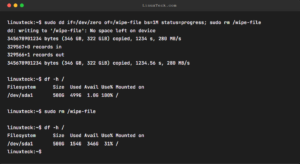
I deleted sensitive files but worry forensics could recover them. How do I wipe free space? Try: sudo dd if=/dev/zero of=/wipe-file bs=1M status=progress; sudo rm /wipe-file Info: dd fills remaining disk free space with zeros, overwriting blocks of previously deleted files before rm releases the space. "No space left" is […]

Read More
Linux CPU usage monitoring
QUICK LINUX TIPS : 103

Linux CPU Usage Monitoring: Find High CPU Processes Fast

Oct 20, 2026 - by john

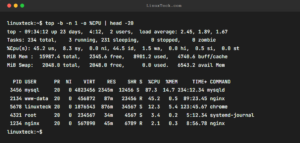
Something is pegging my CPU. How do I pinpoint it with real-time refresh? Try: top -b -n 1 -o %CPU | head -20 Info: Running top in batch mode (-b -n 1) executes a single non-interactive snapshot, while -o %CPU dynamically sorts processes by CPU utilization for quick diagnostics and […]

Read More
Linux DNS troubleshooting
QUICK LINUX TIPS : 102

Linux DNS Troubleshooting: Trace DNS Resolution in 3 Steps

Oct 19, 2026 - by john

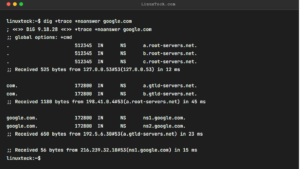
DNS is failing intermittently. How do I trace the resolution path? Try: dig +trace +noanswer google.com Info: dig +trace performs iterative DNS lookups from root servers (.), down to TLDs (.com), and final authoritative servers to isolate propagation and delegation bottlenecks. Examples: $ dig @8.8.8.8 example.com  # Query specific upstream […]

Read More
Linux network bandwidth monitoring
QUICK LINUX TIPS : 101

Linux Network Bandwidth Monitoring: Track TCP Connections

Oct 17, 2026 - by john

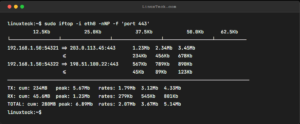
A single TCP connection seems slow. Can I measure its real throughput? Try: sudo iftop -i eth0 -nNP -f 'port 443' Info: iftop acts as top for network bandwidth, tracking individual connections and displaying 2s/10s/40s moving averages to pinpoint bandwidth hogs. Examples: $ sudo iftop -i eth0  # Launch interactive […]

Read More
Linux shutdown protection
QUICK LINUX TIPS : 100

Linux Shutdown Protection: Prevent Accidental Server Shutdowns

Oct 16, 2026 - by john

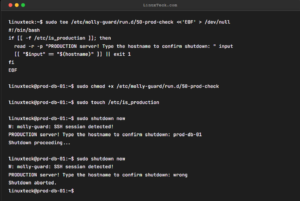
I keep typing shutdown on the wrong server. How do I protect against this? Try: sudo tee /etc/molly-guard/run.d/50-prod-check <<'EOF' > /dev/null #!/bin/bash if [[ -f /etc/is_production ]]; then read -r -p "PRODUCTION server! Type the hostname to confirm shutdown: " input [[ "$input" == "$(hostname)" ]] || exit 1 fi […]

Read More

Posts navigation

Previous 1 2 3 … 9 Next

Trending

  • Steps to Install Centos-8 with screenshots
  • Linux Remote Access Command Cheat Sheet
  • "Linux Is Safe" Lie That's Getting Servers Hacked in 2026
  • How to List Hardware Devices in Linux (lspci and lsusb)
  • Bash Variables and Default Values Made Easy (Part 14 of 34)
  • Linux or Windows: The Best Choice for Developers in 2026
  • ss Command in Linux made easy
  • XZ Compression in Linux Made Easy
  • How to Install LAMP (Linux, Apache, MariaDB, PHP/PhpMyAdmin) in RHEL /CENTOS 7.6 - LinuxTeck
  • How to set up MariaDB on Rocky Linux 8
  • Popular
  • Comments
  • Tags
How to Install CentOS 8 with full steps

Steps to Install Centos-8 with screenshots

Jun 24, 2020

Linux Remote Access Command Cheat Sheet

Linux Remote Access Command Cheat Sheet

Apr 10, 2023

Aneeshya SLearn Archiving and Compression in Linux like a Pro
muglLearn Archiving and Compression in Linux like a Pro
No tags to show

Google Add as a preferred
source on Google
  • Contact US
  • Privacy Policy
  • Terms of use
  • Affiliate Disclosure
  • Advertise
Copyright © 2026 LinuxTeck. All Rights Reserved.
Material from our website cannot be republished ONLINE or OFFLINE without our permission.
L