What Is the Bash Command Hierarchy and How Does PATH Work in Linux)
A common Linux interview question is: "What happens when you type a command and press Enter?" Despite sounding simple, it often reveals gaps in understanding that can cause real-world troubleshooting problems later on.
Consider a situation where a script runs the ls command and produces completely different output than the same command executed manually in a terminal. The script works perfectly during testing but fails when scheduled through cron. In many cases, the issue is not the command itself but the execution environment. Cron does not load the same PATH variables, shell settings, or aliases that are available in an interactive session. Understanding how Linux locates and executes commands is often the key to resolving these problems quickly.
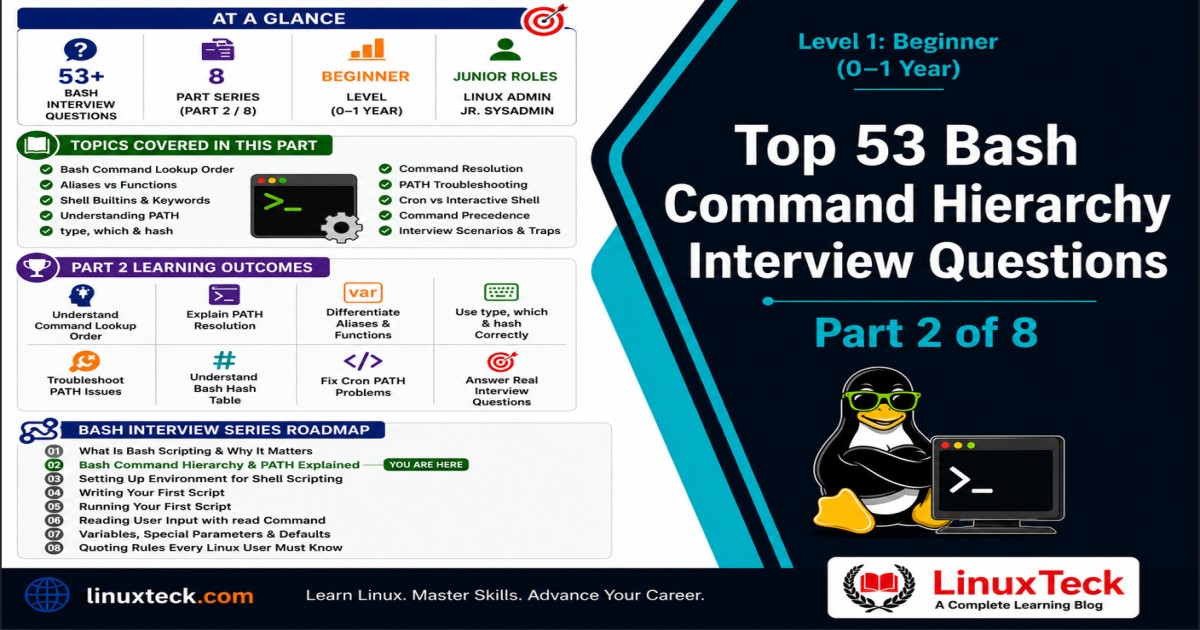
This guide is designed for beginners, junior Linux administrators, and anyone building a strong foundation in Linux. It explains how Bash determines what to execute when a command is entered, how the PATH variable influences command lookup, and why execution behavior can differ between environments. By the end, you will have a clear understanding of command lookup order and be able to confidently explain the process in interviews and real-world troubleshooting scenarios.
Level 1 - Beginner (0-1 Year):
These questions target candidates with under one year of Linux experience. They appear in junior sysadmin screens, helpdesk-to-Linux-admin transitions, and entry-level DevOps hiring pipelines.
What This Article Covers:
Most beginners can run commands fine but cannot explain why bash finds one version of a command over another, and that gap shows up fast in interviews.
- How bash decides between builtins, keywords, functions, aliases, and external binaries
- What the PATH variable actually does and how lookup order works
- Why
type,which, andhashgive different answers and when to use each
If you cannot explain what happens between pressing enter and seeing output, this is the article that fixes that.
Before we get into the question set, it helps to know this topic connects directly to how PATH resolution works under the hood, so keep that open in another tab if you want the longer technical breakdown after this.
Bash Command Hierarchy Interview Questions: Core Concepts
This is where most Level 1 interviews start. The interviewer is not trying to trip you up yet, they just want to know if you understand what bash actually does before it runs anything. Expect short, direct questions here, and expect a follow up if your answer is too vague.
Q01. When you type a command in bash and press enter, what is bash actually doing before anything runs?
Bash checks the word you typed against an internal order of categories: aliases first, then reserved keywords, then functions, then shell builtins, and finally external commands found by searching the directories listed in PATH.
This matters because two systems can have the same command name resolve to completely different things, and not knowing the order is how scripts behave one way in your terminal and another way in cron or in someone else's shell.
Interview Signal:
The interviewer wants to know if you think of bash as a black box or as a system with a defined lookup order. Naming the order correctly, even loosely, separates a real beginner from someone who just memorized command syntax.
Q02. What is the difference between a shell builtin and an external command?
A builtin like cd or echo is compiled directly into bash and runs inside the current shell process. An external command like ls or grep is a separate binary file that bash has to locate and launch as a new process.
This matters because builtins are faster since there is no process to spawn, and some builtins like cd have to be builtins, otherwise they could never change the working directory of your actual shell.
Q03. Why can cd not be a regular external program?
An external program runs in its own child process with its own copy of the environment, so any directory change it makes dies with that process the moment it exits. cd has to be a builtin so it can modify the working directory of the shell you are actually sitting in.
This is a small detail that shows whether someone understands process boundaries in Linux, not just shell syntax.
Q04. What is PATH and what kind of value does it hold?
PATH is an environment variable holding a colon separated list of directories. When bash needs to run an external command, it searches these directories in order until it finds an executable file with that name.
On the job, if a command "is not found" but you know it is installed, the first thing you check is whether its directory is actually in PATH.
Interview Signal:
This question tests whether you know PATH is just a string of directories, not some kind of magic system setting. People who say "it is a list of programs" rather than "a list of directories" usually have not actually looked at their own PATH.
Q05. How do you view your current PATH value?
Run echo $PATH. It prints the full colon separated directory list exactly as bash sees it right now.
Knowing this command cold matters because half of PATH related troubleshooting starts with just looking at what PATH currently contains.
Q06. What does it mean if PATH contains /usr/local/bin:/usr/bin:/bin?
It means bash searches /usr/local/bin first, then /usr/bin, then /bin, stopping at the first match it finds for the command name.
Order matters a lot in production. If two different versions of a tool exist in two of these directories, whichever directory comes first in PATH wins, every time.
Q07. What happens if a directory is not listed in PATH at all?
Bash will never search that directory for a command, no matter how many executables live there. You would get a "command not found" error even if the binary exists and works fine.
This catches people constantly after installing software manually into a custom directory and forgetting to add it to PATH.
Interview Signal:
Interviewers ask this to see if you connect "command not found" to PATH automatically, instead of assuming the software install failed.
Q08. What is the difference between running a command and running a script with ./script.sh?
Running a bare command relies on PATH lookup. Running ./script.sh bypasses PATH entirely and tells bash exactly where the file is, relative to your current directory.
This is why scripts in your own project folder still run even when that folder is nowhere near PATH, but typing just script.sh without the ./ usually fails.
Q09. Why does bash usually refuse to run a script in your current directory just by typing its name?
Most Linux distributions do not include the current directory . in PATH by default, for security reasons. Without it, bash will not look in your current folder during the search, so you have to explicitly point at the file with ./.
This protects against a malicious file named like a common command sitting in a shared directory and getting executed by accident.
Common Mistake:
Candidates often say "Linux just does not let you run local scripts" because that is what they observe day to day.
Fix: it is not a Linux limitation, it is a deliberate PATH design choice. Adding . to PATH is possible but considered bad practice on shared or production systems.
Q10. What is a shell keyword, and how is it different from a builtin?
Keywords like if, for, and while are part of bash's own grammar, they control flow and syntax. Builtins like echo and cd are commands that happen to be implemented inside the shell rather than as separate binaries.
The distinction matters because keywords cannot be used as plain commands or arguments the way builtins sometimes can be referenced indirectly.
Reading the Lookup Order: Aliases, Functions, and Precedence
Once the basics are out of the way, interviewers shift into precedence questions. This is where they figure out if you actually understand the order bash checks things in, not just that an order exists. Expect a mix of straight questions and a couple of code reading checks here.
Q11. What is the full precedence order bash uses to resolve a command name?
The order is aliases, then reserved keywords, then functions, then shell builtins, and finally external commands found via PATH.
Knowing this order cold lets you predict exactly what will run before you even test it, which is a real time saver when debugging someone else's script.
Interview Signal:
This is the single most repeated question on this topic. Interviewers are checking if you can recite the order without hesitating, since it underlies almost every other question in this list.
Q12. If you define a function named ls and an alias named ls at the same time, which one runs?
The alias wins. Aliases are checked before functions in bash's lookup order, so the alias definition takes priority every time you type ls as a plain word.
This kind of conflict shows up in messy .bashrc files where someone has both an alias and a function with overlapping names and cannot figure out which one is actually firing.
Q13. Can an alias override a shell builtin like cd?
Yes. Since aliases are checked first in the lookup order, an alias named cd will run instead of the builtin cd whenever you type it plainly.
This is exactly why a lot of admins write custom cd aliases that add logging or extra behavior, and also why those same aliases can cause confusing bugs for anyone who does not know they exist.
Q14. Does PATH affect aliases, functions, or builtins in any way?
No. PATH only matters for external commands. Aliases, functions, keywords, and builtins are resolved entirely inside bash itself and never touch the PATH search.
This trips people up because they assume PATH controls everything bash runs, when really it only governs the last step in the lookup chain.
Common Mistake:
A lot of candidates say changing PATH will affect which alias or function runs.
Fix: PATH is irrelevant until bash has already ruled out aliases, keywords, functions, and builtins. Only then does it even look at PATH.
LinuxTeck.com
greet() {
echo 'Hi from function'
}
greet
Q15. What does the script above print if executed directly in an interactive terminal session, and why?
In an interactive shell, it prints the alias output, not the function output, because of how bash orders its lookup.
If this same code ran inside a regular non-interactive script instead, the output would flip. Bash disables alias expansion by default in scripts, so the function would run there instead of the alias.
Interview Signal:
This question quietly tests whether you know aliases behave differently in scripts versus an interactive terminal. Plenty of candidates have only ever tested aliases by typing in a live shell and assume the behavior carries over everywhere.
Q16. How would you call the actual function instead of an alias of the same name, without removing the alias?
You can bypass alias expansion for a single call by escaping or quoting the command name, for example \greet or "greet". Either form tells bash to skip the alias lookup stage and continue on to functions and builtins.
This is the same trick worth knowing for any aliased command, not just custom ones. It is how admins safely run the real version of something behind a protective alias without deleting the alias itself.
Q17. What is a shell function, in plain terms?
A function is a named block of shell code stored in memory for the current shell session, callable like a regular command, that can accept arguments through $1, $2, and so on.
Functions are how most admins build reusable shortcuts without writing a separate script file for every small task.
Q18. Do functions persist after you close your terminal session?
No, not unless they are defined in a startup file like .bashrc. A function typed directly into an interactive shell only exists in that shell's memory and disappears when the session ends.
This is exactly why production scripts should never assume a helper function exists just because someone defined it manually earlier in the day.
Q19. Write a quick way to check whether greet is currently an alias, a function, or something else, without running it.
The type command tells you exactly what category a name falls into before you ever execute it.
LinuxTeck.com
It will say something like "greet is aliased to ..." if it is an alias, or "greet is a function" if it is a function, which removes all the guesswork.
Q20. Is a function checked before or after shell builtins?
Functions are checked before builtins. So if you define a function with the same name as a builtin like echo, your function runs instead of the real builtin.
This is powerful for wrapping builtins with extra logging or validation, but dangerous if done by accident, since it silently changes core shell behavior for that session.
Interview Signal:
This question separates people who memorized "aliases, keywords, functions, builtins, PATH" from people who actually understand what each step in that order means in practice.
Find the Command: Using type, which, and hash
Once a candidate knows the lookup order exists, the next thing interviewers check is whether you actually know the tools that let you inspect it. These questions look simple on paper but catch a surprising number of people who have never typed anything besides the command itself.
Q21. What does the type command do?
type tells you how bash would resolve a given name, whether it is an alias, keyword, function, builtin, or an external file, and if external, where that file lives.
It is the single most useful diagnostic command for this entire topic, since it shows you the actual resolution bash would use rather than making you guess.
Q22. What does the which command do, and how is it different from type?
which searches PATH only and reports the path to an external executable. It does not know about aliases, functions, or builtins the way type does.
This difference matters because which can tell you a binary exists in PATH while completely missing the fact that an alias or function with the same name would actually run first.
Interview Signal:
Interviewers love this question because a confident wrong answer here, claiming which and type always agree, reveals someone has never actually compared the two outputs.
Q23. If which ls shows /bin/ls, but you have an alias for ls, what actually runs when you type ls?
The alias runs, not /bin/ls. which only reports the PATH based binary location and is blind to aliases entirely.
This exact scenario is one of the most common real world gotchas new admins run into, and it is a favorite trap question for that reason.
Common Mistake:
Candidates often trust which as the full answer for "what runs when I type this command."
Fix: use type instead of which when you need the true answer, since type checks the entire resolution order, not just PATH.
Q24. What does bash's command hash table do?
Bash remembers the full path of commands it has already looked up in this session, so it does not have to search every PATH directory again the next time you run the same command.
This speeds up repeated command use, but it can also cause stale results if a binary moves or gets reinstalled somewhere new during the same session.
Q25. How do you view what bash currently has cached in its hash table?
Run hash with no arguments. It lists every command bash has already resolved and the full path it cached for each one.
This is useful for confirming whether bash is using a stale cached path after you install a new version of a tool somewhere earlier in PATH.
Q26. You install a new version of a tool earlier in PATH, but running the command still launches the old version. What is the likely cause?
Bash has probably cached the old path in its hash table from earlier in the session, so it is skipping the PATH search entirely and reusing the old location.
This is a real production gotcha, especially after upgrading a tool mid session without restarting the shell.
Interview Signal:
The interviewer is testing whether you know hashing exists at all. Most beginners never encounter this until something breaks for no obvious reason.
Q27. How do you fix the stale hash problem from the previous question?
Run hash -r to clear the hash table, forcing bash to redo the PATH search from scratch the next time the command is used.
Some admins just open a fresh shell instead, which works too, but knowing hash -r directly shows you understand the actual mechanism rather than working around it.
Q28. Does hash cache aliases or functions, or only external commands found through PATH?
Only external commands resolved through PATH get hashed. Aliases and functions are resolved fresh every time since they live directly in bash's own definitions, not on disk.
This is a subtle distinction, but it confirms the earlier point that PATH and hashing only apply to the last step of the lookup chain.
Q29. What is the difference between type -a ls and plain type ls?
Plain type ls shows only the first match bash would actually use. type -a ls lists every single match across aliases, functions, builtins, and every matching binary in PATH.
The -a flag is genuinely useful when troubleshooting conflicts, since it shows you every place a name is defined, not just the winner.
LinuxTeck.com
Q30. If this command prints two different paths, what does that tell you about the system?
It tells you there are at least two installed versions of python sitting in different directories that are both listed in PATH.
python is /usr/bin/python
The one listed first is the one that actually runs when you type python plainly, since PATH is searched left to right and bash stops at the first match.
Q31. Can type tell you about a command that has not been hashed yet?
Yes. type performs a live search through the directories in PATH at the moment you run it, so it does not rely on a prior hash entry existing. It does not add the command to the hash table either, only actually running the command, or using the explicit hash command, does that.
This is a small but real distinction. People sometimes assume type and hash share the same cache, when really type just checks fresh every single time.
Q32. Is type itself a builtin or an external program?
type is a shell builtin. It has to be, since it needs direct access to bash's internal alias, function, and keyword tables to answer accurately, which an external program could never see.
This is a nice closing detail that shows the lookup hierarchy is not just theory, it explains why certain diagnostic tools have to be built into the shell itself.
Write the Fix: Hands On PATH and Lookup Tasks
This is the section where interviewers stop asking you to explain things and start asking you to actually do something. At Level 1, expect short, practical tasks rather than full scripts, but you do need to get the syntax right without hesitating.
Q33. Write a command that adds /opt/myapp/bin to the end of your current PATH for this session only.
You reference the existing PATH value and append the new directory after a colon, then reassign it back to PATH.
LinuxTeck.com
This change only lasts for the current shell session. To make it permanent you would add the same line to a startup file like .bashrc.
Q34. Write a command that puts /opt/myapp/bin at the front of PATH instead of the end.
Putting the new directory first means bash checks it before anything else, which matters if you want a custom version of a tool to override the system default.
LinuxTeck.com
Front loading PATH like this is common when testing a custom build of a tool you do not want the system version to shadow.
Interview Signal:
This pairs directly with the previous question. Interviewers ask both back to back to see if you actually understand order matters, not just that appending works.
Q35. Where would you add a PATH export so it survives every new terminal session, not just the current one?
Add the export line to a shell startup file, typically ~/.bashrc for interactive non login shells, which is the common case for most terminal sessions.
This is one of the most asked practical follow ups, since temporary PATH changes are useless for anything you rely on daily.
Q36. After editing .bashrc to update PATH, the change does not show up in your current terminal. Why, and what fixes it?
.bashrc only runs when a new shell starts, so editing it does not affect a shell that is already running. Reload it manually with source ~/.bashrc, or just open a new terminal window.
This is one of the most common beginner confusions, and being able to explain it clearly and quickly is exactly what separates a confident answer from a guess.
Common Mistake:
Candidates sometimes assume editing a config file applies itself automatically everywhere instantly.
Fix: config files are only read when a shell starts or when explicitly sourced, never automatically re-read by sessions that are already open.
Q37. Write a quick way to check if a specific directory is currently part of your PATH.
You can pipe the PATH value into grep and search for the directory you care about.
LinuxTeck.com
If nothing prints back, the directory is not in PATH and any binaries inside it will not be found by plain command lookup, no matter how correctly they were installed.
Q38. Write a command that temporarily removes all aliases for the current session.
This is useful when you suspect an alias is interfering with a command and you want to test against the real underlying command without permanently deleting anything.
LinuxTeck.com
This only clears aliases for the current shell session, it does not touch whatever file defined them, so they come back the next time you open a new terminal.
Q39. How would you bypass an alias just once, without removing it, to run the real command underneath?
Prefix the command with a backslash, like \ls, which tells bash to skip alias expansion for that single invocation.
This trick is genuinely used in production, especially when someone has aliased a destructive command like rm to add a confirmation prompt and you specifically need the raw behavior for a script.
Interview Signal:
This is a small but real signal of hands on experience. People who have only read about aliases rarely know this trick exists.
Q40. Write a command that shows the full definition of an alias named ll.
Running alias with the name and no value shows you exactly what that alias expands to.
LinuxTeck.com
This is the fastest way to confirm what a short alias actually runs before trusting it in a script or relying on it during troubleshooting.
Q41. Write the line you would add to a script to make sure it uses a specific PATH, ignoring whatever the user's shell already has set.
Setting PATH explicitly at the top of a script guarantees consistent, predictable lookup no matter who or what runs the script, which matters a lot for cron jobs and automation.
LinuxTeck.com
PATH=/usr/local/bin:/usr/bin:/bin
echo "Running with fixed PATH"
This is exactly the kind of defensive habit that prevents the cron PATH mismatch problem from ever becoming a production incident in the first place.
Common Mistakes and Real Situations Interviewers Bring Up
This last set of questions mixes traps with small real world scenarios. At Level 1 these are not meant to be brutal, they exist to see if you can reason through a problem out loud instead of freezing or guessing randomly.
Q42. A script works fine when you run it manually, but fails when cron runs it overnight with "command not found." What is the most likely reason?
Cron runs jobs with a much smaller default PATH than your interactive login shell, so a command that works for you directly may not be found inside a cron job at all.
This is one of the single most common real production failures tied to PATH, and almost everyone who has worked with cron has hit it at least once.
Interview Signal:
Interviewers ask this constantly because it is a near guaranteed real incident at every job. Knowing the cause cold, without hesitating, signals practical experience rather than textbook knowledge.
Q43. What is the safest fix for the cron PATH problem from the previous question?
Set PATH explicitly at the top of the script, or use full absolute paths for every command the script relies on, rather than trusting whatever PATH cron happens to provide.
Hardcoding full paths is more verbose but removes the guesswork entirely, which matters more than convenience once a script is running unattended.
Q44. A teammate says "just use which to check what command runs." Is that solid advice?
Not entirely. which only checks PATH, so if an alias or function shares the same name, which will report a binary that is not actually what runs.
type is the more complete tool here because it checks the entire resolution order, not just the external command search.
Common Mistake:
A lot of guides online treat which as the definitive answer for "what runs when I type this."
Fix: treat which as a PATH only tool, and reach for type whenever aliases or functions might be involved.
Q45. Is the order of directories inside PATH ever irrelevant?
No, the order always matters whenever the same command name exists in more than one of those directories. Bash always stops at the first match, so order decides the winner.
It only feels irrelevant when every command name on the system happens to exist in just one location, which is common on a fresh system but not guaranteed anywhere in production.
Q46. A new hire adds a directory to PATH using export PATH=/new/dir instead of export PATH=/new/dir:$PATH. What breaks?
This completely overwrites PATH instead of adding to it, so every other directory that used to be searchable, including /usr/bin and /bin, is now gone from the lookup.
Almost every basic command stops working immediately, since bash can no longer find any of the standard system binaries.
Common Mistake:
This is one of the most damaging beginner mistakes, and it usually happens from copying a PATH export without noticing the missing $PATH reference.
Fix: always include the existing $PATH value when adding a new directory, unless you genuinely intend to replace the entire search list.
Q47. If you accidentally wipe PATH like in the previous question and now basic commands like ls are not found, how do you recover in that same session?
Manually rebuild PATH by typing the absolute paths back in by hand, for example export PATH=/usr/local/bin:/usr/bin:/bin. Since export is a shell builtin, it runs without needing a PATH lookup at all, so it works even with PATH completely broken.
Spawning a simple subshell in that same window will not fix this on its own, since it inherits the broken exported PATH from the parent environment. A genuinely fresh terminal window does work though, since it starts a new login or interactive shell that reloads PATH from the system defaults and your startup files, instead of inheriting anything from the broken session.
Q48. Two systems have the exact same PATH variable, but the same command behaves differently on each. PATH is not the problem here. What else would you check?
Check for differing aliases or functions defined in each system's shell startup files, since those are resolved entirely outside of PATH and can silently change behavior.
This question pushes you to remember that PATH is only one part of the full lookup chain, not the whole story.
Q49. Does the order aliases, keywords, functions, builtins, then PATH apply the same way inside a shell script as it does in an interactive terminal?
Mostly yes, but with a catch: by default, aliases are usually disabled inside non interactive shell scripts unless explicitly enabled, while functions and builtins still resolve normally.
This is a subtle but real difference that explains why an alias acting normal in your terminal might simply not exist at all when the same line runs inside a script.
Interview Signal:
This question is a good filter for people who only ever tested things interactively and never noticed scripts behave slightly differently by design.
Q50. You are debugging a coworker's machine and type curl shows it as a function, not the real binary. Is that automatically a problem?
Not automatically. Wrapping a real command in a function is a common, legitimate pattern for adding logging, defaults, or safety checks around a tool.
It only becomes a problem if the function silently changes expected behavior in a way nobody documented, which is usually what you are actually being asked to investigate.
Q51. Is it possible for a command to exist as a builtin on one system and only as an external binary on another?
Yes. echo is a good example, it is a bash builtin, but a separate /bin/echo binary also exists on most systems and behaves slightly differently in edge cases like flag handling.
This is worth knowing because scripts that assume one specific behavior of echo can act differently depending on which shell or system actually runs them.
Q52. Quick check, does running sudo in front of a command change how PATH lookup works for that command?
It can, because sudo often runs with a different, more restricted PATH than your normal user shell, depending on system configuration.
This is why a command found fine without sudo sometimes reports "command not found" the moment sudo is added in front of it.
Interview Signal:
This is a slightly advanced detail for Level 1, and interviewers use it to see how a candidate handles a question just past their comfort zone, rather than expecting a perfect answer.
Q53. If you are unsure whether something is a builtin, a function, or a real binary during an actual interview, what should you say?
Say exactly that, and explain how you would check it, for example "I would run type on it to confirm." That is a stronger answer than guessing confidently and being wrong.
Interviewers consistently rate "I am not sure, here is how I would find out" higher than a confident wrong guess, because it reflects how you would actually behave on the job.
How Interviewers Actually Score These Answers
At Level 1, nobody expects you to recite the PATH lookup order word for word like a script. What separates a 7 out of 10 answer from a 9 out of 10 answer is usually how you arrive at the answer, not just whether the final words happen to be correct. A candidate who says "aliases, then functions, then builtins, then PATH, I think" while visibly thinking it through often scores better than one who blurts the order perfectly but cannot explain why it matters when pushed on a follow up.
Confidence matters less than people assume, and overconfidence actively hurts you here. If you get a PATH question wrong but correct yourself once given a hint, that is scored as a positive signal, not a failure. Interviewers are watching for whether you can reason in real time, because that is exactly what debugging a broken PATH on a live system at 2am actually requires. Silence is worse than an imperfect answer. Saying "let me think through this out loud" buys you real credit, even when the path to the answer takes a few wrong turns first.
The other thing that quietly separates strong candidates is connecting concepts back to real failure scenarios without being asked to. If someone asks you what PATH is and you mention the cron PATH problem unprompted, that single sentence often does more for your score than a textbook perfect definition would on its own. It signals you have actually hit this wall before, or at least understand why it matters enough to bring it up yourself.
Frequently Asked Questions
How detailed should my answers be in a phone screen versus a technical round?
Keep phone screen answers short and direct, two or three sentences is usually enough. Save the deeper explanations and edge cases for the technical round, where the interviewer actually has time to dig in.
Do I need to memorize the exact lookup order, or is explaining the idea enough?
Knowing the order, aliases, keywords, functions, builtins, then PATH, is genuinely worth memorizing for this topic specifically, since it gets asked constantly and hesitating on it looks worse than it should.
What if I forget whether something is a builtin or an external command mid interview?
Say you would check with type and move on. That is a completely normal, accepted answer and shows practical instinct rather than rote memorization.
Will they actually ask me to write PATH related commands from scratch at Level 1?
Yes, fairly often. Expect short tasks like adding a directory to PATH or checking if something is in PATH, rather than a full script. Keep your syntax sharp on the basics.
Is it bad if I have never personally hit the cron PATH problem before?
Not at all, plenty of candidates have not. Just be able to explain why it happens once it is described to you. Understanding the mechanism matters more than having lived through every scenario.
Should I bring up hashing if the interviewer does not ask about it directly?
Only if it fits naturally, like when discussing PATH lookup speed or stale command paths. Forcing it in just to sound advanced usually reads as rehearsed rather than genuine.
You Are Ready - Here Is What Comes Next
You now know how bash resolves a typed command end to end, and you can explain the difference between type, which, and hash without freezing on it. That combination covers most of what gets asked about the bash command hierarchy and PATH at Level 1. From here, move into general bash scripting interview prep (Part 1/8) to build on this foundation, and check the official Bash manual if you want the full technical reference behind any of these answers.
Related Articles
- What Is Bash Scripting and Why It Matters in Linux (Part 1 of 34)
- Shell Scripting Environment Setup (Part 3 of 34)
- Writing Your First Bash Script Hello World (Part 4 of 34)
- Bash Conditional Statements Explained (Part 13 / 34)
- Linux Shell Scripting Interview Questions Overview
Real interview questions for every experience level - from Beginner to Senior Linux Engineer.