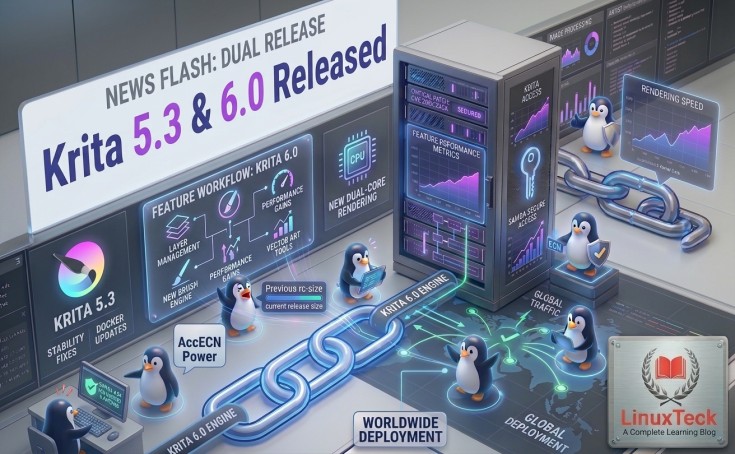
The popular free painting app just pulled off a rare double act: Krita 5.3 adds great new features for artists right now, and Krita 6.0 quietly sets the stage for Linux desktops to finally paint in high dynamic range. All of this comes from the same codebase.
Let's be clear: this is the most important Krita release in at least five years. If you think Wayland HDR support is just a checkbox for Linux power users, you're missing the bigger picture. This is when open source creative tools stopped trying to catch up and started leading the way.
Krita 5.3 was released on March 24, 2026 — and it came with a surprise. Instead of just one version number, there were two: Krita 5.3 and Krita 6.0. Both were made from the same source tree. There is no fork or fight in the split. It's a planned switch from Qt 5 to Qt 6 that won't leave production artists behind.
It's okay if you've never had to worry about which Qt version powers your paintbrush. What matters is this: if you do real work in Krita, you should install Krita 5.3 today. If you run a Wayland desktop and a monitor that can show more than the usual 8 bits of color per channel, you should check out Krita 6.0, which is a preview of where everything is going.
- Krita 5.3 — Ready for use in production. Recommended for all artists, illustrators, and studios right now. It runs on Qt 5. Every new feature in this release has been thoroughly tested and is stable.
- Krita 6.0 — Early access and testing. It uses Qt 6 and supports native Wayland and HDR, but you need a recent compositor like KWin to use it. Not yet ready for client-deadline work.
Simultaneous Releases
Shared Codebase
Color Depth on Wayland
Future Framework
Headline Feature
Krita 5.3 Released With a Completely Rebuilt Text System
For years, adding text in Krita felt like a compromise. It was a necessary feature, but it never really fit in with the painting tools around it. This release changes that. The team that worked on the project got rid of the old text handling and built a new engine from the ground up.
You can now click directly on the canvas and type, and the difference is clear right away. The keyboard is fully supported, and East Asian scripts and other complex input methods work perfectly with IME. You can make text flow inside any shape. For example, you can pour a paragraph into a circle or an irregular blob, and it will fill the space naturally. Paths now act as typographic rails, allowing letters to curve and arc with the same level of accuracy you would expect from a design program. You can use all of OpenType's features, like ligatures, stylistic alternates, small caps, and more, without leaving the canvas.
This is the upgrade that changes how manga and webcomic creators work, in particular. You used to have to export to Inkscape to edit speech bubble text, but now you can do it all in Krita.
"Text that lives on the canvas, curves with your composition, and speaks every language — Krita's new engine finally treats type as a first-class creative tool."
LinuxTeck Editorial
New & Updated Tools
Fill Tool, Liquify Speed, and a Comic Panel Editor Just for You
There are three new tool-level features that stand out, each aimed at a slightly different group of Krita users.
The Fill Tool now has a mode that fills in gaps, which is one of the most annoying things about digital inking: line art that isn't perfect. If the lines of ink don't quite meet at the edges, the bucket fill will bleed out into the white canvas around them. The new gap-closing algorithm finds and fills in those tiny gaps before flooding the area with color. This is a real time-saver for anyone who colors their own comics or illustrations.
The Transform Tool's Liquify mode has been completely redesigned to work better. Artists who use big canvases or high-resolution brushes will see that the warp and push functions now work in real time instead of lagging behind the stylus.
A brand-new Comic Panel Editing Tool is the last thing that has been added. You can now split and merge vector-based panel grids interactively. For example, you can change a two-column layout into a widescreen panel for movies or break up an existing cell into three tiers without having to use a separate vector editor.
-
1Fill ToolThe new gap-closing mode seals up imperfect ink lines before flooding color, so there won't be any more bleed-out on shapes that are almost closed.
-
2Transform / LiquifyInternally redesigned for speed—warp, push, and pull operations keep track of the stylus in real time on high-resolution canvases.
-
3Tool for Comic PanelsYou can split a single panel into several cells or merge cells that are next to each other right away. The app has built-in interactive vector-based layout editing.
-
4Recorder DockerThe screen-recording docker now records painting sessions in real time, which is great for process videos and tutorials.
New Filters
What Propagate Colors and Reset Transparent Really Do
The arrival of two new filters isn't a big deal, but they both fix real artistic problems. Propagate Colors takes the color and tone of painted pixels and spreads them out into nearby clear areas. You can think of it as asking Krita to guess what color should logically continue beyond the edge of your brushwork. It is especially helpful for making hard alpha edges softer or getting artwork ready for some printing and compositing workflows.
Reset Transparent does the opposite: it takes color data out of any pixel whose alpha channel is fully transparent. This gets rid of color values that are not visible and can sometimes mess up blending modes or export. Neither filter is flashy, but they both fix the kinds of small problems with layers that experienced artists know to look out for.
All blending modes have also been changed to handle HDR values correctly. This is a necessary change that is directly related to the Krita 6.0 Wayland HDR story below.
Krita 6.0 Exclusive
What Wayland, HDR Painting, and a Compatible Compositor Really Mean
This is what makes Krita 6.0 a new version. The development team was able to use the Wayland color management protocol after moving to Qt 6. This is a relatively new specification that lets applications and the compositor talk about color spaces and transfer functions at the system level instead of just assuming everything is sRGB.
In real life, this means that Krita 6.0 can send a real wide-gamut, high dynamic range image straight to the display subsystem without the compositor crushing or clipping the colors. When artists paint on 10-bit monitors that are connected to a Wayland session, they will see the real details of their highlights and shadows on the screen, not just approximations.
Fractional scaling support is the last of the Wayland improvements. Historically, Krita's user interface has been a little blurry or oddly sized when using Wayland on HiDPI screens, which are common on modern Linux laptops and 4K monitors. The Qt 6 port fixes this by letting Krita render at non-integer scale factors correctly, so a 1.5× or 1.75× scaling factor makes the interface look sharp instead of like an upscaled version.
KDE Plasma's Wayland improvements have been a long time coming — as we
covered in our
Fedora Asahi Remix 43
piece, Apple Silicon Linux users are already seeing these gains in practice.
At a Glance
Krita 5.3 and Krita 6.0: A Comparison
| Feature / Factor | Krita 5.3 | Krita 6.0 |
|---|---|---|
| Underlying Framework | Qt 5 | Qt 6 |
| Wayland Support | Limited / X11 primary | Native Wayland (KWin required) |
| HDR Painting | Not available | Wayland color management protocol |
| 10-bit Color Display | No | Yes (compatible compositor) |
| Fractional Scaling | Partial / workaround | Native Qt 6 support |
| New Text Engine | Yes — fully stable | Yes — same codebase |
| Comic Panel Tool | Included | Included |
| Production Readiness | Recommended — stable | Early access — test only |
| Recommended For | All artists and studios | Testers, KDE Wayland users, HDR enthusiasts |
File Format Updates
HDR Images, Better JPEG-XL, and Better PSD Round-Tripping
Both Krita 5.3 and 6.0 now support Radiance RGBE HDR images, which are often used in 3D rendering, VFX pipelines, and capturing light in the environment. Artists who use both 2D and 3D workflows can now open, paint over, and export RGBE assets without needing a separate converter.
JPEG-XL support has been expanded with more capability flags, making it easier to work with files made by other programs. The format is becoming more and more important for delivering art on the web because it has both high compression efficiency and lossless encoding when needed.
It is now easier for artists who work with Photoshop users or across operating systems to share PSD files. You can now load and save text objects and a wider range of advanced layer properties made in Photoshop in Krita without flattening them. This makes it much easier to work on illustrations and designs across different platforms.
Get It Now
Where and How to Get It
You can get both versions right away from the official Krita website at krita.org/en/download. Platform choices include the three main desktop environments:
If you're also tracking broader Linux security while updating your tools,
our
Ubuntu Desktop vulnerability
coverage is worth a read.
- Windows — 64-bit installer and a portable ZIP file
- Linux — AppImage (works on any distro), Flatpak (through Flathub), and Snap
- macOS — Needs macOS 10.14 Mojave or later; universal binary is available
LinuxTeck — A Complete Learning Blog
Tech News Stay updated with the latest Linux and open-source news — covering new releases, distro updates, security patches, and enterprise developments, delivered in plain language for sysadmins and developers.