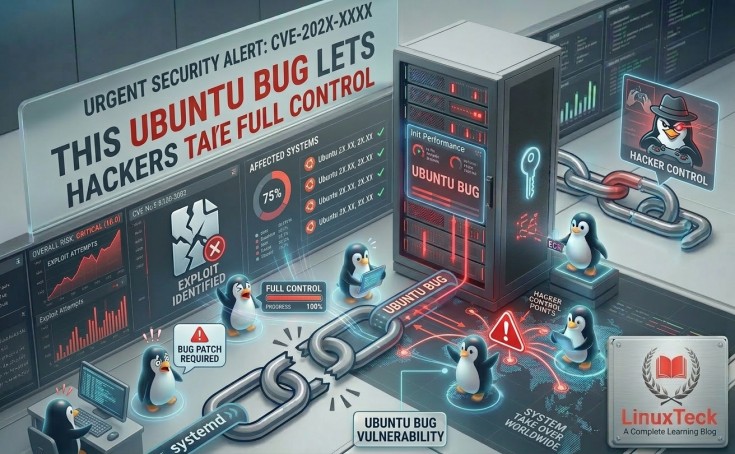
A freshly disclosed ubuntu vulnerability 2026 places millions of desktop users at serious risk — an unprivileged local attacker can silently escalate privileges all the way to root without ever prompting for a password or requiring any victim interaction.
- The ubuntu desktop vulnerability is tracked as CVE-2026-3888 and carries a CVSS score of 7.8 (High), enabling full root takeover from a standard user account.
- The flaw exploits a timing gap between snap-confine and systemd-tmpfiles — two deeply embedded components in every default Ubuntu Desktop installation.
- Ubuntu Desktop 24.04 LTS, 25.10, and 26.04 LTS (Dev) are all confirmed vulnerable; Ubuntu 16.04–22.04 LTS are not affected in default configurations.
- Patched versions of snapd are already available — users should run
sudo apt update && sudo apt upgradeimmediately. - A secondary race condition in the uutils coreutils Rust rewrite was also identified and patched before the Ubuntu 25.10 public release.
What Happened
What Is the Ubuntu Desktop Vulnerability?
A critical ubuntu desktop vulnerability has come to light, uncovered by the Qualys Threat Research Unit during a proactive security review ahead of the Ubuntu 25.10 release cycle. The flaw, now formally catalogued as CVE-2026-3888, is a Local Privilege Escalation (LPE) bug present in the default installation of Ubuntu Desktop 24.04 and newer releases. What makes it particularly alarming is the attack surface: no special software, no external network access, and no elevated permissions are required to trigger it.
At its core, the linux desktop security vulnerability stems from an unintended interaction between two standard Ubuntu system services — snap-confine and systemd-tmpfiles. Both run by default, both carry elevated system trust, and together they create a window an attacker can crawl through.
Technical Details
How the Ubuntu Security Flaw Actually Works
Understanding the ubuntu exploit requires knowing what these two components are supposed to do. snap-confine is the setuid-root binary that constructs the sandbox environment every time a snap application launches — handling namespace isolation, AppArmor policies, cgroup enforcement, and seccomp filters. Meanwhile, systemd-tmpfiles manages temporary directories like /tmp, /run, and /var/tmp, periodically sweeping out stale files on a timer.
The linux vulnerability exploit unfolds in three stages: first, the attacker waits — or tricks the scheduler — until systemd-tmpfiles removes /tmp/.snap, a directory that snap-confine depends on during sandbox setup (after 30 days on Ubuntu 24.04, or 10 days on later releases). Second, the attacker immediately recreates that directory and seeds it with malicious payloads. Third, when the next snap application launches, snap-confine — running as root — bind-mounts those attacker-controlled files, and arbitrary code runs in a privileged context. Full host compromise achieved.
"The interaction between snap-confine and systemd-tmpfiles creates a predictable race window — one that requires patience rather than sophistication to exploit on a default Ubuntu desktop."
— Qualys Threat Research Unit, Security Advisory CVE-2026-3888
Who Is at Risk
Who Is Affected by This Linux Desktop Security Vulnerability?
If you are running Ubuntu Desktop 24.04 LTS, 25.10, or the 26.04 LTS development release with the default snapd package installed, your system is vulnerable. This covers a substantial portion of the Ubuntu desktop userbase worldwide. Notably, legacy Ubuntu releases — 16.04 through 22.04 LTS — are not affected in standard configurations, though Qualys recommends applying defensive patches to any non-standard 22.04 setups that mirror newer behaviour.
Impact Analysis
Potential Security Risks: What a Successful Exploit Means
A CVSS score of 7.8 with a "changed scope" rating signals something specific: a successful attacker doesn't just own their own user session — they break containment entirely, gaining capabilities that affect resources well beyond the initial compromise boundary. In plain terms, an attacker who runs this exploit walks away with a root shell, full read/write access to every file on the system, the ability to install persistent backdoors, exfiltrate credentials, tamper with logs, and pivot to any connected network resource.
For shared Ubuntu desktop environments — university labs, corporate workstations, development machines with multiple user accounts — the linux desktop security risks are compounded. Any standard user on that machine becomes a potential attacker.
How to Fix It
How to Fix the Ubuntu Vulnerability Right Now
The good news: patches are already shipped. The Ubuntu Security Team responded swiftly, releasing fixed snapd builds across all affected versions. The ubuntu security update fix is a straightforward package upgrade — no manual configuration, no kernel reboot, no third-party tooling required.
Commands to Check and Update Your System
Run These Commands Immediately
Open a terminal and execute the following to pull in the patched snapd package and confirm your running kernel:
# Step 1 — Refresh package lists and upgrade all packages (including snapd)
sudo apt update && sudo apt upgrade

# Step 2 — Confirm the installed snapd version
snap version

# Step 3 — Check your current kernel version
uname -r
After running the upgrade, verify that your installed snapd version matches or exceeds the patched release for your Ubuntu version (see the comparison table below). If you are on Ubuntu 24.04 LTS, you need 2.73+ubuntu24.04.1 or later.
| Ubuntu Version | Vulnerable snapd | Patched Version | Status |
|---|---|---|---|
| Ubuntu 24.04 LTS | Prior to 2.73+ubuntu24.04.1 | 2.73+ubuntu24.04.1 |
✔ Patch Available |
| Ubuntu 25.10 | Prior to 2.73+ubuntu25.10.1 | 2.73+ubuntu25.10.1 |
✔ Patch Available |
| Ubuntu 26.04 LTS (Dev) | Prior to 2.74.1+ubuntu26.04.1 | 2.74.1+ubuntu26.04.1 |
✔ Patch Available |
| Upstream snapd | Prior to 2.75 | 2.75 |
✔ Patch Available |
| Ubuntu 16.04–22.04 LTS | Not vulnerable (default config) | — | ⚠ Precautionary patch advised |
Timeline
How This Ubuntu Security Flaw Unfolded
-
1Late 2025Qualys Threat Research Unit begins a proactive security audit of Ubuntu 25.10 components prior to its public release, specifically examining interactions between default system services.
-
2Early 2026Researchers identify the race condition between snap-confine and systemd-tmpfiles in
/tmp/.snap, confirming it can be reliably triggered by an unprivileged local user. A separate race condition in the uutils coreutils Rust rewrite is also flagged. -
3Pre-Release MitigationUbuntu's security team reverts the default
rmcommand in Ubuntu 25.10 back to GNU coreutils before the OS ships publicly, neutralising the secondary coreutils flaw without a visible user-facing disruption. -
4March 18, 2026CVE-2026-3888 is publicly disclosed. Canonical simultaneously releases patched snapd packages across all affected Ubuntu versions. Users are urged to update without delay.
Expert Analysis
Impact on Linux Users and the Broader Ecosystem
This ubuntu exploit is a reminder that security architecture is only as strong as the interactions between its components. Individually, snap-confine and systemd-tmpfiles are well-designed, well-reviewed subsystems. The problem isn't in either component in isolation — it's in the gap they create together, a gap that nobody had explicitly mapped until Qualys started pulling threads. That kind of systemic blind spot is especially dangerous in default-on software that hundreds of millions of machines run silently in the background.
For Linux desktop security, the episode raises a broader question around the tmpfiles cleanup model. Predictable, timer-based file purges create deterministic race windows. Hardening those interactions — whether through mandatory access controls on /tmp subdirectory creation or tighter path verification in snap-confine itself — is now firmly on Canonical's radar.
Stay Secure
How to Stay Secure on Ubuntu Going Forward
Beyond applying the immediate ubuntu security update fix, there are sensible layered defences every desktop user should maintain. Enable automatic security updates via unattended-upgrades so critical patches land without requiring a manual run. Audit who has local login access to your machine — the threat model here is entirely local, so restricting physical and SSH access is a genuine mitigation. Follow systemd and init system changes closely, as this vulnerability shows how deeply systemd services are woven into desktop attack surfaces.
What's Next
The Future of Linux Desktop Security After CVE-2026-3888
Canonical has already indicated that a more structural review of snap-confine's directory-handling logic is underway. The uutils coreutils situation also signals that as the Linux ecosystem embraces Rust-written rewrites of core utilities, security reviews need to catch up — the same safety guarantees Rust provides at the memory level don't automatically translate into safe interactions with privileged system schedulers and cleanup daemons.
For Ubuntu users, the takeaway is clear: cybersecurity ubuntu linux hygiene is not a set-and-forget discipline. Other major Linux distributions are watching closely, and similar audits are likely already underway across Fedora and Debian's snap and flatpak stacks. Patch today, subscribe to security advisories, and treat local access controls as a first-line defence — not an afterthought.
FAQ
Frequently Asked Questions
CVE-2026-3888 is a Local Privilege Escalation flaw in Ubuntu Desktop 24.04 and later, caused by a timing gap between the snap-confine sandbox builder and the systemd-tmpfiles cleanup daemon. An attacker with a standard local user account can exploit this gap to execute code as root.
Yes — after patching. Canonical has released fixed snapd packages for all affected versions. Run
sudo apt update && sudo apt upgrade and verify your snapd version to confirm you are protected.
Absolutely. With a CVSS score of 7.8 and zero user interaction required, this is not a vulnerability you can afford to leave unpatched — especially on any machine with multiple users or shared access. Check our Linux system update guide for step-by-step instructions if you are new to the process.
LinuxTeck — A Complete Learning Blog
Tech News Stay updated with the latest Linux and open-source news — covering new releases, distro updates, security patches, and enterprise developments, delivered in plain language for sysadmins and developers.