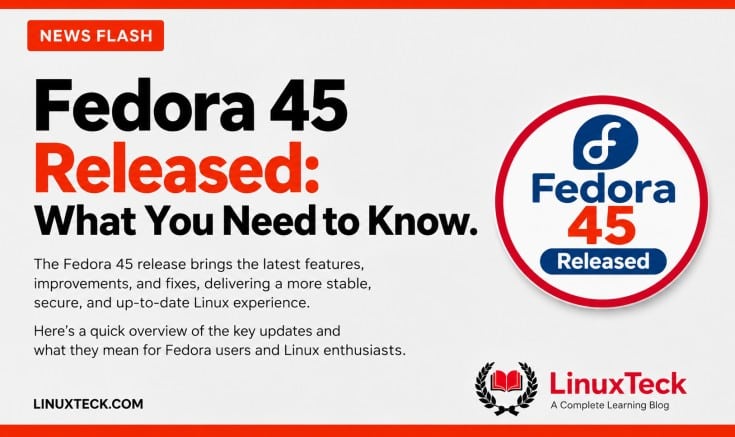
Fedora Linux 45 was released on November 3, 2026, two weeks late after a pair of NO-GO calls, and the Fedora 45 download is now live for Workstation, KDE Plasma and every spin. GNOME 51 and KDE Plasma 6.8 grab the headlines, but what's new in Fedora 45 that actually touches your machine sits lower down: stricter package signing, restricted ptrace and a new text console.
Highlights
| 1 | Fedora 45 shipped on November 3, 2026 from the RC-1.4 compose, after slipping from October 20 and then October 27. |
| 2 | Fedora Workstation 45 runs GNOME 51, the KDE edition runs Plasma 6.8, and both sit on the Linux 7.2 kernel that came out of the 7.2 development cycle. |
| 3 | RPM 6.1 now refuses unsigned packages installed with rpm -i, and package builds are expected to be reproducible. |
| 4 | kmscon replaces the old in-kernel fbcon on the text consoles, and unprivileged ptrace is restricted out of the box. |
| 5 | The Anaconda installer can now put your root and home filesystems on Stratis pools, through the GUI or Kickstart. |
| 6 | Fedora 43 reaches end of life on December 1, 2026, and can upgrade straight to 45. |
This is one of those Fedora releases where the version bumps are the boring part. Most of the real work went into the base system, and some of it changes long-standing behaviour. Whether you upgrade today depends on your third-party repos, Nvidia drivers, GNOME extensions and how much you like day-one surprises.
| Release Date | November 3, 2026 |
| Kernel | Linux 7.2 (7.3 update coming) |
| Supported Until | December 8, 2027 |
| Upgrade Path | GNOME Software, Discover or DNF system-upgrade from Fedora 44 or 43 |
GNOME 51 and Plasma 6.8: What You Notice First
GNOME 51 reworks frame scheduling, so animations and window snapping stay smooth even under load. Calendar scrolls faster, the file previewer was redesigned in GTK 4, and Files no longer freezes on huge folders. Laptop users also get an option to switch the touchpad off when a mouse is plugged in.
One change confused a few early upgraders: GNOME 51 no longer accepts your fingerprint at the login screen, so the first login after boot needs your password.
Plasma 6.8 adds per-monitor virtual desktops, a light/dark toggle in the tray and a microphone test, and it drops native X11 sessions entirely. XWayland still handles old X11 apps. KDE users on Fedora 44 already got Plasma 6.8 as an update, so the desktop itself will look familiar. If you skipped the Fedora 44 feature set, there is more to catch up on.
The Security Defaults That Will Catch Some Setups
Enforced RPM signatures is the change most likely to break a workflow. Run rpm -i on an unsigned RPM, or one whose signing key you never imported, and it now refuses to install. Installing local files through dnf install ./file.rpm still works. The people who will feel this most are teams with build pipelines that push unsigned internal packages with plain rpm.
The proper fix is to import the vendor key or sign your own builds (Fedora ships rpm-setup-autosign for that). For a one-off package you trust, there is a bypass:
sudo rpmkeys --import vendor-key.asc
sudo rpm -ivh --nosignature internal-tool.rpm
It fits the same push toward verified chains we saw when the Secure Boot signing key expiry hit Linux users.
ptrace is how debuggers watch other programs. In Fedora 45, an ordinary app can no longer attach to another app you are running, which shuts down a whole class of credential-snooping malware. If you rely on the ptrace system call through gdb or strace, installing the debugging packages restores normal tracing via sysctl.
kmscon, Stratis and the New Installer Flow
kmscon runs the black text screen you get with Ctrl+Alt+F3. It now handles proper Unicode, better fonts and keyboard layouts that match your system. If it fails to start, Fedora falls back to the old getty and fbcon setup. Two catches for old-school users: setfont and loadkeys no longer apply (use /etc/kmscon/kmscon.conf), and starting a GUI from the console needs a wrapper:
kmscon-launch-gui startxStratis is a storage manager that pools disks and adds snapshots and encryption without you learning LVM in depth. Atomic desktops like Silverblue and Kinoite now default to the WebUI installer, with remote installs over HTTPS.
"...integrated support for Stratis storage right inside the Anaconda installer."
Fedora Magazine, Announcing Fedora Linux 45, November 2026
Fedora 45 is available for Workstation, KDE Plasma, Server, IoT, Cloud and CoreOS, with live spins including COSMIC, Xfce, Cinnamon, Budgie, LXQt, MATE, Sway and i3. The Workstation live ISO is 2.7 GiB for x86_64 and 2.8 GiB for ARM. Fedora recommends 4GB of RAM, 40GB of disk and a 4GB USB stick for Fedora Media Writer.
Toolchains, systemd 262 and the Enterprise Angle
Developers get GCC 16.2, glibc 2.44, LLVM 23, Python 3.15, Go 1.27 and Podman 6, plus systemd 262, which keeps trimming legacy bits as we saw with the systemd 260 SysV changes. The Python jump means existing virtual environments may need rebuilding after the upgrade. Secret storage moves to oo7, a Rust replacement for the GNOME Keyring and KWallet backends.
For sysadmins, signed packages by default, PAM routing for chpasswd and newusers, and a minimal GRUB EFI for booting Unified Kernel Images are the kind of defaults that tend to flow into RHEL later. If your org plans around RHEL support lifecycles, treat Fedora 45 as a preview.
Fedora 44 vs Fedora 45 at a Glance
| Component | Fedora 44 | Fedora 45 | Status |
|---|---|---|---|
| Linux kernel | 7.2 (via updates) | 7.2 (7.3 coming) | Same Series |
| Desktop | GNOME 50 / Plasma 6.8 (via update) | GNOME 51 / Plasma 6.8 | Supported |
| Text console | fbcon | kmscon (fbcon fallback) | Watch on Old GPUs |
| GNOME extensions | Built for GNOME 50 | Need GNOME 51 updates | Check Before Upgrade |
| RPM signatures | Not enforced for rpm -i | Enforced for rpm -i | Check Internal Packages |
| vpnc / fortisslvpn plugins | Available | Removed | Migrate VPNs |
How to Upgrade to Fedora 45
On Workstation, open Software, go to Updates, click Download on the Fedora 45 banner, then Restart & Upgrade. KDE users do the same from Discover, though some are not seeing the prompt yet. Fedora 43 users can jump straight to 45, since upgrading across two releases is officially supported.
Before you start, back up your home folder, and if you are on Btrfs, take a snapshot of root. Then, from a terminal:
sudo dnf upgrade --refresh
sudo dnf system-upgrade download --releasever=45
sudo dnf system-upgrade reboot
Plain sudo dnf update will not move you to 45. After the reboot, confirm it worked and clean up:
cat /etc/os-release
uname -r
systemctl --failed
sudo find /etc -name '*.rpmnew'
If the download step fails halfway, check sudo dnf system-upgrade log, then run sudo dnf system-upgrade clean before trying again.
What Early Upgraders Are Reporting
Day-one feedback on the Fedora subreddit is mostly calm. Plenty of people upgraded several machines from 44 with no trouble, one calling it two commands and about 20 minutes of waiting. The rough edges are predictable: GNOME extensions like Clipboard Indicator and Rounded Corners broke until their authors catch up, so check yours in Extension Manager first.
Live ISO hanging at the spinner? Several users traced it to an outdated Ventoy, and updating Ventoy fixed it. RPM Fusion users hit a libheif conflict and found RPM Fusion's testing repos switched on after the upgrade. If you only want stable packages, turn them off:
sudo dnf config-manager setopt rpmfusion-free-updates-testing.enabled=0
sudo dnf config-manager setopt rpmfusion-nonfree-updates-testing.enabled=0
Nvidia owners need the most patience. The proprietary driver comes from RPM Fusion and is rebuilt locally by akmods, and RPM Fusion repos were still catching up on day one. One user's offline upgrade sat at 100% while akmods rebuilt. GNOME 51 also retired legacy NVIDIA interfaces in favour of the standard GBM path, so give it a week if your Nvidia machine is the one you work on.
What Is Still Unresolved Before You Upgrade
One Snapdragon X2 laptop owner could not boot the ARM live image, and another user reported a broken on-screen keyboard on the lock screen. None of these are confirmed widespread, but they explain why many people wait a week or two. Staying a release behind is not automatically safer, though, since the latest stable release gets security fixes first.
Fedora 43 users have the least room. That release goes end of life on December 1, 2026. Apple Silicon owners can grab Fedora Asahi Remix 45 with initial M3 support, a big step on from Asahi Remix 43. If you are buying new hardware anyway, the Framework Laptop 13 Pro pairs well with a fresh install.
Questions I Get Asked About This All the Time
Can I upgrade from Fedora 43 directly to Fedora 45?
Yes. Fedora officially supports upgrading across two releases, so use the same system-upgrade commands with --releasever=45.
When does Fedora 43 stop getting updates?
December 1, 2026. After that, no security fixes.
Why does rpm -i suddenly fail on a package that used to install?
Fedora 45 enforces signatures for direct rpm installs. Import the vendor key with rpmkeys --import, or install the file with dnf install ./file.rpm.
Will my Nvidia driver survive the upgrade?
Usually, once RPM Fusion has Fedora 45 builds and akmods finishes rebuilding the module. Let the upgrade complete before forcing a reboot.
Is Fedora 45 a good pick if I am new to Linux?
Yes, if you wait a couple of weeks for early bugs to settle. Our take on Fedora as the best distro of 2026 covers who it suits.
Sources & References
LinuxTeck - A Complete Learning Blog
Tech News Stay updated with the latest Linux and open-source news, covering new releases, distro updates, security patches, and enterprise developments, delivered in plain language for sysadmins and developers.