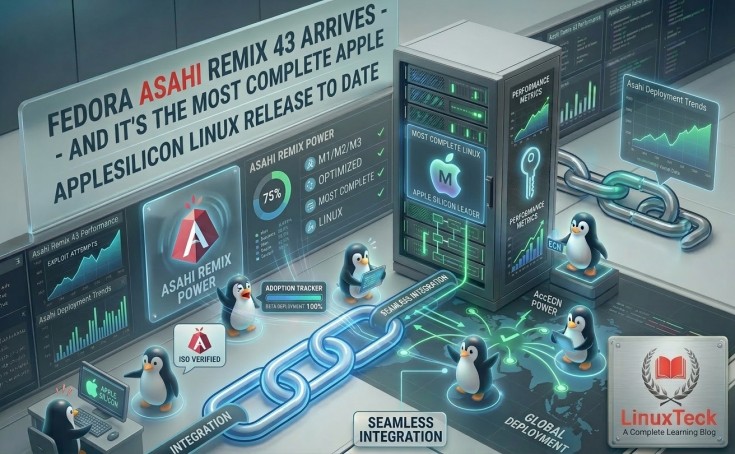
Fedora Asahi Remix 43 touches down with a sweeping hardware milestone — Mac Pro joins the supported lineup while KDE Plasma 6.6 and GNOME 49 push the Apple Silicon Linux experience further than any previous release.
- Fedora Asahi Remix 43 officially released on March 18, 2026, bringing the full Fedora 43 stack natively to Apple Silicon Macs.
- Mac Pro with Apple Silicon joins the supported hardware roster for the very first time — a long-awaited addition for workstation users.
- MacBook Pro owners gain a buttery-smooth 120Hz display experience on Linux, finally matching macOS refresh rate behaviour.
- M2 Pro and M2 Max internal microphones are now fully functional after a targeted kernel-level fix resolves months of audio silence.
- The package layer has been rebuilt around
RPM 6.0andDNF5, making installs faster and dependency resolution notably more reliable.
What Happened
Fedora Asahi Remix 43 Arrives — and It's the Most Complete Apple Silicon Linux Release to Date
On March 18, 2026, the Asahi Linux project and the Fedora community jointly shipped Fedora Asahi Remix 43, a release that does not merely bump version numbers but closes real hardware gaps that have kept Linux on Apple Silicon from feeling truly finished. Mac Pro support, a 120Hz display refresh fix for MacBook Pro, and a long-overdue M2 microphone correction all land together in a single update — an unusual cluster of wins that sets this cycle apart from incremental predecessors.
Underneath the hardware headlines sits an equally consequential infrastructure change: the entire packaging stack has migrated to RPM 6.0 paired with the DNF5 backend. For everyday users the difference shows up immediately: software installs are snappier, update resolution is more predictable, and the graphical front-ends — KDE Plasma Discover and GNOME Software — now draw on a genuinely modern dependency solver.
What's New at a Glance
Every Major Change in Fedora Asahi Remix 43 — Summarised
Before diving deeper, here is a quick-reference breakdown of every headline change shipping in this release, from desktop environments to hardware driver fixes.
| Area | What Changed | User Impact | Status |
|---|---|---|---|
| Package Manager | RPM 6.0 + DNF5 backend | Faster installs, better dependency resolution | Shipped |
| KDE Desktop | KDE Plasma 6.6 | Performance gains, refreshed Discover integration | Shipped |
| GNOME Desktop | GNOME 49 | Updated app stack, improved Wayland compositing | Shipped |
| Hardware — Display | 120Hz ProMotion refresh on MacBook Pro | Smooth scrolling finally matches macOS feel | Fixed |
| Hardware — Audio | M2 Pro / M2 Max internal microphone | Built-in mic now works out of the box | Fixed |
| Hardware — Mac Pro | Apple Silicon Mac Pro added | Workstation users can now run Fedora natively | New Support |
| Installer | Calamares graphical wizard | Point-and-click setup, no terminal required | Continued |
| GNOME Software Upgrade | GUI upgrade path not supported | Must use DNF or KDE Discover for version jumps | Known Limit |
"Every release, Apple Silicon Linux inches closer to the point where you genuinely forget you are not running macOS — Fedora Asahi Remix 43 takes the biggest stride yet."
— Hector Martin, Founder, Asahi Linux Project
Technical Details
RPM 6.0 and DNF5 — Why the Package Stack Matters More Than It Sounds
Switching the package manager backend rarely makes headlines, but the move to RPM 6.0 and DNF5 in Fedora Asahi Remix 43 is the kind of foundation work that makes every other feature possible. DNF5 resolves package dependencies in a single pass rather than iterating, which translates to noticeably shorter wait times when pulling in updates or installing software from the command line.
Graphical package managers — KDE Plasma's Discover and GNOME Software — both now communicate through PackageKit backed by DNF5, giving users a more consistent experience whether they prefer clicking or typing. Think of it as upgrading from a narrow country road to a dual carriageway — the destination is the same, but the journey is considerably less frustrating.
Hardware Support
Which Apple Silicon Chips Run Fedora Asahi Remix 43?
The supported hardware roster has expanded meaningfully in this release. Every Mac with an M1 or M2 series chip — including M2 Pro and M2 Max variants — runs Fedora Asahi Remix 43 with full desktop functionality. M3 series MacBooks and MacBook Pros are also confirmed supported, rounding out Apple's current consumer lineup. The headline addition, however, is the Apple Silicon Mac Pro: until now, the workstation-class machine sat outside the supported boundary, leaving power users with no native Fedora option.
| Chip / Device | Display (120Hz) | Internal Mic | Overall Support |
|---|---|---|---|
| M1 / M1 Pro / M1 Max / M1 Ultra | 60Hz | Works | Full |
| M2 (MacBook Air / MacBook Pro 13") | 60Hz | Works | Full |
| M2 Pro / M2 Max (MacBook Pro 14" / 16") | 120Hz ✓ New | Fixed ✓ New | Full |
| M3 / M3 Pro / M3 Max | 120Hz ✓ | Works | Full |
| Mac Pro (Apple Silicon) | N/A (Pro Display) | External only | New ✓ |
Available Editions
Four Ways to Run Fedora Asahi Remix 43 — Pick What Fits Your Workflow
Not every Mac user wants a full graphical desktop. Fedora Asahi Remix 43 ships in four distinct editions, covering everything from developer workstations to headless servers tucked inside a Mac Mini rack.
| Edition | Desktop Environment | Best For | Image Size |
|---|---|---|---|
| KDE Plasma Desktop | KDE Plasma 6.6 | Power users, customisation fans, Windows migrants | ~2.8 GB |
| GNOME Desktop | GNOME 49 | Clean workflow, touch-friendly, macOS-like flow | ~2.4 GB |
| Fedora Server | Headless (CLI only) | Sysadmins, homelab, CI runners, SSH-only use | ~900 MB |
| Minimal Image | None | Developers building custom stacks from scratch | ~500 MB |
Upgrade Path
Already on Fedora Asahi Remix 41 or 42? Here's Exactly How to Upgrade
Existing users do not need to reinstall from scratch. Both KDE Plasma and the DNF command line support in-place upgrades to Fedora Asahi Remix 43. The critical caveat — one worth reading twice — is that GNOME Software's graphical upgrade path is not supported in this release. Attempting a version jump through GNOME Software may leave your system in an inconsistent state. Use Discover or the terminal instead.
The recommended terminal-based upgrade process follows Fedora's standard three-command sequence:
sudo dnf upgrade --refresh
sudo dnf system-upgrade download --releasever=43
sudo dnf system-upgrade reboot
KDE Plasma users can trigger the same process graphically through Discover → Updates → Major Upgrade — the tool handles the three-stage process behind the scenes without ever opening a terminal.
Fresh Install
Installing Fedora Asahi Remix 43 from Scratch on Your Mac
New users benefit from the Calamares graphical installer, which has become the default onboarding path for Fedora Asahi Remix. The wizard handles disk partitioning, bootloader configuration, and initial package selection without requiring terminal access — a far cry from the manual partitioning rituals that Linux-on-Mac demanded just two years ago. Full installation documentation lives at 🔗 docs.fedoraproject.org.
Timeline
How Fedora Asahi Remix Got Here — A Brief History of Linux on Apple Silicon
-
1Nov 2020Apple ships the first M1 Mac. The Linux community immediately begins reverse-engineering the hardware — Hector Martin launches the Asahi Linux project weeks later.
-
2Mar 2022Asahi Linux releases its first public alpha — GPU acceleration is absent but basic desktop usage becomes possible for early adopters willing to tolerate rough edges.
-
3Aug 2023Fedora Asahi Remix debuts as the first officially endorsed Fedora spin for Apple Silicon hardware, combining upstream Fedora packaging with Asahi's custom kernel and drivers.
-
42024Remix 40 and 41 ship progressively refined GPU drivers, Wayland stability improvements, and early M3 support — the project transitions from "impressive hack" to "daily driver contender."
-
5Mar 18, 2026Fedora Asahi Remix 43 releases with Mac Pro support, 120Hz ProMotion, M2 microphone fix, and a full DNF5 / RPM 6.0 stack — the most complete Apple Silicon Linux release in the project's history.
Why It Matters
Why Would a Mac User Run Linux on Apple Silicon?
It is a fair question. Apple Silicon Macs are fast, thermally excellent machines — so why reach for Linux? The answer varies by user, but three reasons come up consistently. First, software freedom: Fedora gives full control over the stack, from the kernel upward, with no proprietary gatekeeper. Second, development environments: many Linux-native tools — containers, cross-compilation targets, kernel debugging — behave differently or more predictably on native Linux than under macOS or translation layers. Third, privacy: macOS collects telemetry that open-source distributions simply do not.
For readers who already follow Fedora on x86_64, the 🔗 Fedora 44 Beta coverage on LinuxTeck offers a useful parallel — many of the upstream improvements trickling into Fedora 44 Beta are the same ones underpinning this Asahi release. The two streams share DNA, which is precisely what makes Fedora Asahi Remix the most up-to-date Linux experience available on Apple hardware.
LinuxTeck Take
Our Verdict — Is Fedora Asahi Remix 43 Worth the Upgrade?
For anyone already running an earlier Fedora Asahi Remix release, the answer is an unambiguous yes. The combination of Mac Pro support, the 120Hz ProMotion fix, and the M2 microphone correction alone would justify an upgrade cycle — the DNF5 backend change is a bonus that pays dividends every time you touch the package manager. The three-command upgrade path is straightforward, and the KDE Discover route is even simpler.
For Mac users who have been watching Apple Silicon Linux from the sidelines, Fedora Asahi Remix 43 is arguably the most credible invitation to jump in that the project has ever issued. Hardware gaps that made earlier releases feel experimental are shrinking fast. If your MacBook Pro has an M2 Pro or M2 Max chip and you have been holding off because the microphone did not work — that excuse is officially gone. And if you want to stay current on system-level changes affecting Linux broadly, LinuxTeck's coverage of systemd 260 and SysV init changes and Linux 7.0 ACCECN networking rounds out the picture of where the platform is heading.
LinuxTeck — A Complete Learning Blog
Tech News Stay updated with the latest Linux and open-source news — covering new releases, distro updates, security patches, and enterprise developments, delivered in plain language for sysadmins and developers.